

Listening Post › Overview
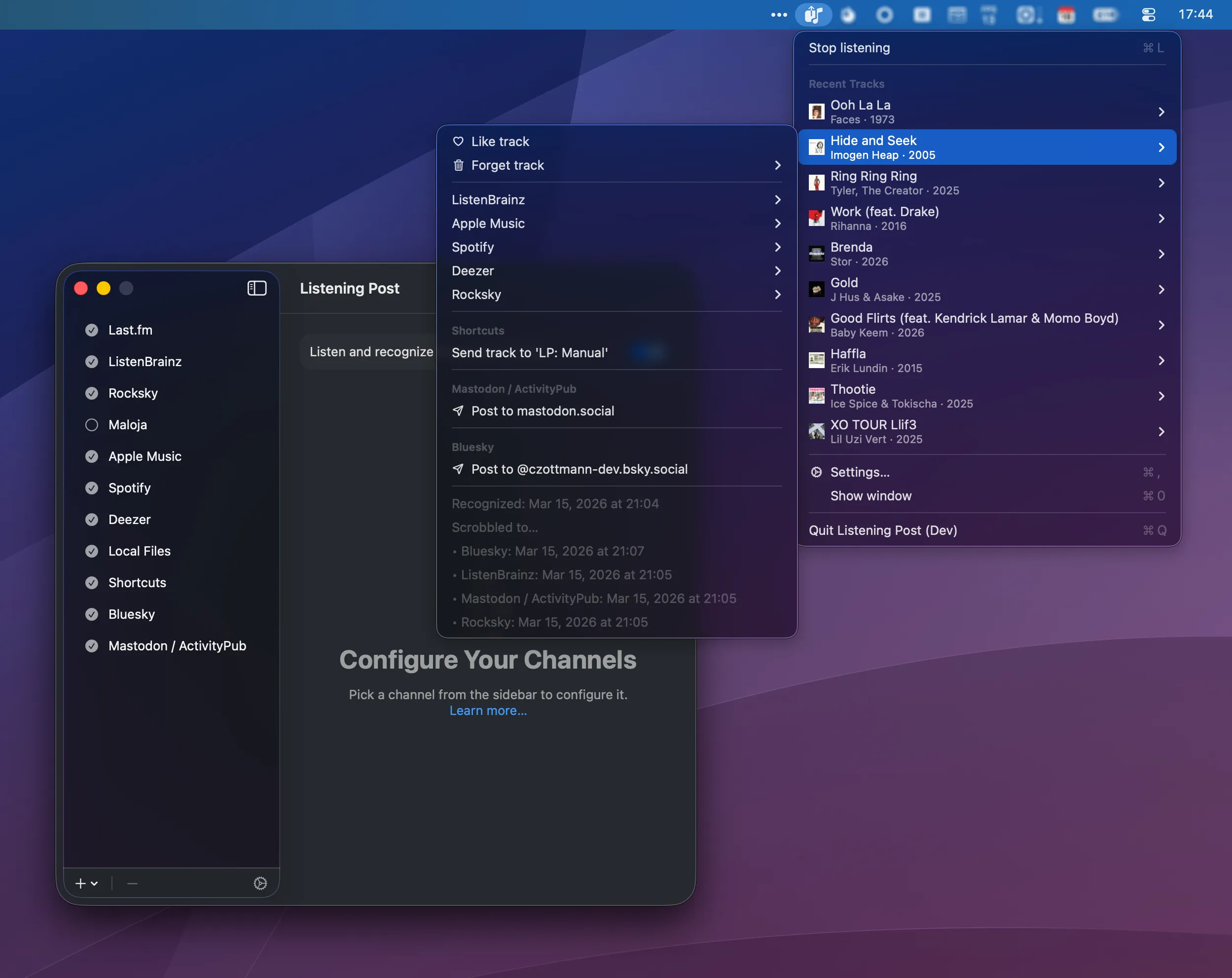
Listening Post is a macOS 15.6+ menubar app that listens to the music around you, identifies it via ShazamKit, and sends it to the channels you've set up: scrobblers like Last.fm, local file exports, social media posts, Shortcuts automations.
Data sovereignty. I hate lock-in. As nice as Last.fm is, it shouldn't be my source of truth! Over the years, I've been burned more than once by services that held all my data, then jacked up the prices, or decided I'm not their target demo anymore.
Also, recognition apps work with Apple Music or Spotify pretty exclusively, which means they only track what you listen to on those platforms. But music is all around us: the radio, a coffee shop, a friend's playlist. That music "doesn't count" in the eyes of existing trackers.
So Listening Post keeps your data on your machine, and exports to local files as it goes along, in formats you can work with (CSV, JSONL). You share to services like Last.fm, you don't fully rely on them.
Getting started
Section titled “Getting started”- Download the Listening Post beta.
- Start the app. It'll appear in your menu bar.
- Set up one or more channels.
- Read The Basics to understand how recognition, enrichment, and publishing work.
If you run into problems
Section titled “If you run into problems”If you have questions or feedback, you can contact Carlo (the app's indie developer) by email.