Listening Post › Settings
The Settings tab covers app-wide behavior. For configuring your channels, please see Channels.
General
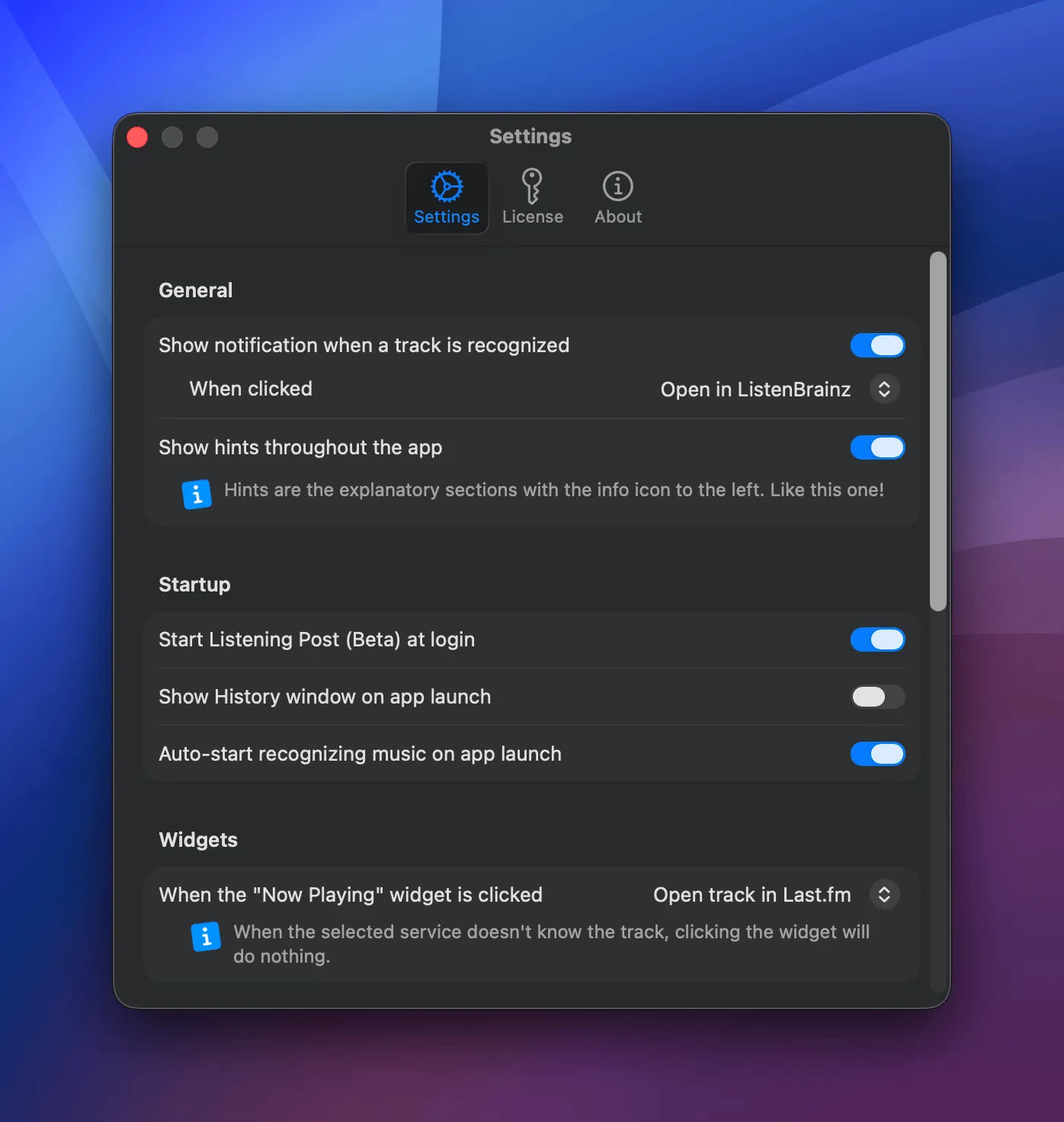
Section titled “General”Show notification when a track is recognized: When enabled, posts a macOS notification each time a song is identified.
- When clicked: What happens when you click the notification. Options depend on which channels are enabled: "Do nothing", open the track in a URL-capable channel (Apple Music, Spotify, Last.fm, ListenBrainz, Deezer), or run a Shortcuts workflow.
- Workflow: Which Shortcuts workflow to run. Only visible when the click action is set to Shortcuts. Loads available workflows from the system.
Show hints throughout the app: Toggles the info-icon hint boxes that explain parts of the UI.
Startup
Section titled “Startup”Start Listening Post at login: When you sign in to your Mac, the app launches. Defaults to off.
Show History window on app launch: Defaults to off.
Auto-start recognizing music on app launch: Defaults to on.
Widgets
Section titled “Widgets”When the "Now Playing" widget is clicked: What should happen when you click the widget? Options depend on which channels are enabled: "Do nothing", open the track in a URL-capable channel (Apple Music, Spotify, Last.fm, ListenBrainz, Deezer). If the selected service doesn't know the track, the click does nothing.
Recognition
Section titled “Recognition”Multi-step recognition mode: When on, a track has to match several times in a row before it's saved. That filters out false matches from DJ sets or layered music, but each track takes a bit longer to confirm. Off (the default) saves on the first solid match, which is faster and fine for most listening — it's what Shazam itself does.
Timing
Section titled “Timing”Publish delay: How long to wait before sending a track to channels. Delete the track within this window to prevent it from being posted.
Shazam Imports
Section titled “Shazam Imports”Scrobble imported tracks: Send tracks imported from your Shazam library (iOS, Apple Watch, etc.) to your scrobble channels (Last.fm, ListenBrainz, etc.). Imported listens are never posted to your now-playing channels (Mastodon, Bluesky, …).
Mirror new Shazam entries automatically: Imports new Shazam recognitions for you, no manual step. A recognition made on your iPhone or Apple Watch syncs over iCloud and usually lands in LP within five seconds. If LP is closed when a device picks something up, it catches up the next time you launch it, so nothing gets lost.
Keyboard Shortcuts
Section titled “Keyboard Shortcuts”Recognize now: Record a global keyboard shortcut that triggers a one-off recognition, no matter which app is in front.
Menu Bar Label
Section titled “Menu Bar Label”During automatic recognition / During manual recognition: What the menu bar icon shows while it's recognizing a track. Three choices, set separately for each mode:
- Hidden: no label, just the icon.
- Short (S, 1, 2, 3): a brief one-character status.
- Full: spells out what's going on, e.g. "Confirming…".
A label makes the icon a little wider.