

Listening Post › Menubar
Listening Post lives in your menu bar, next to the clock. Click its icon to open the menu. Most of what you'll do day to day is right here.
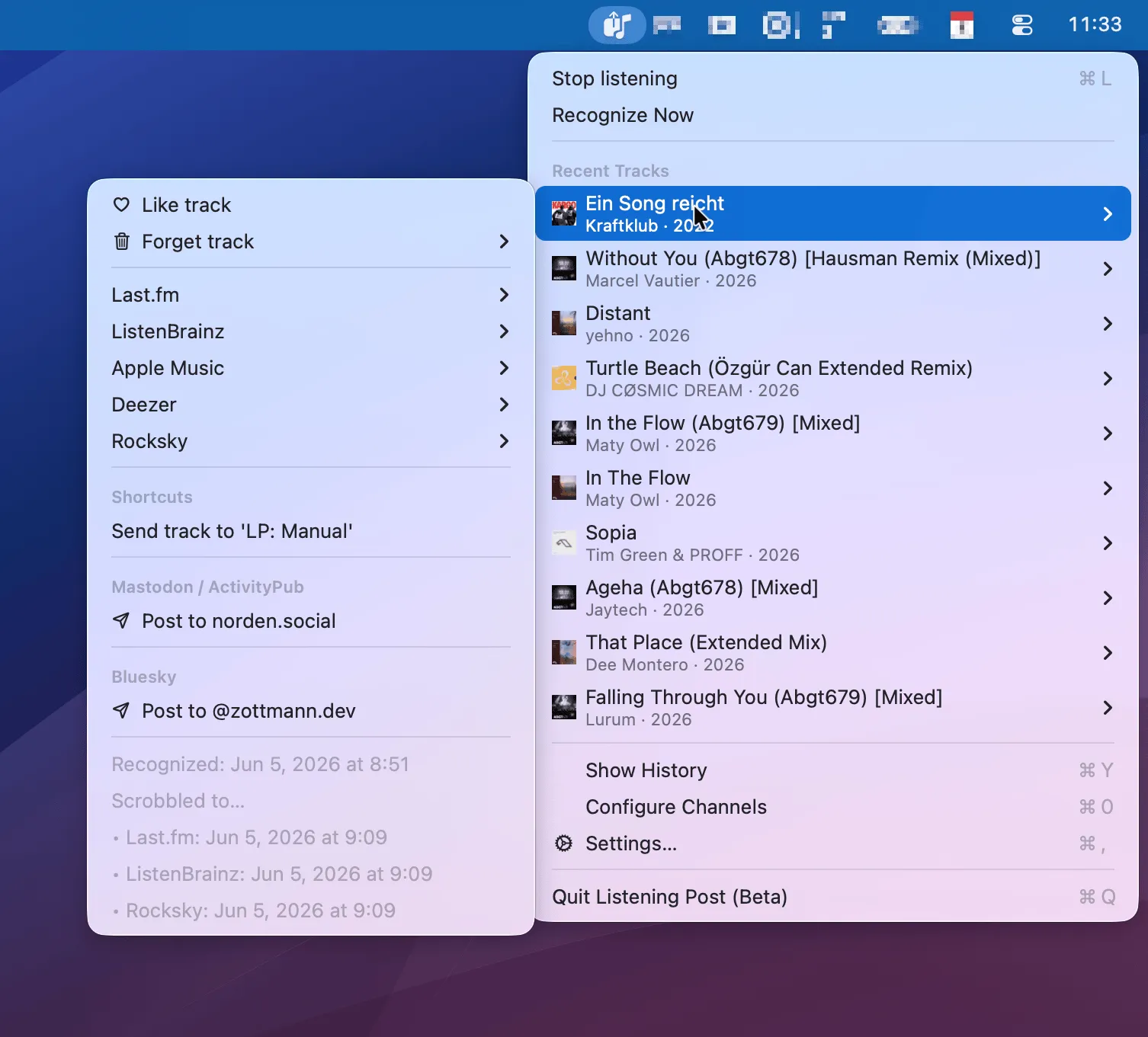
Listening controls
Section titled “Listening controls”At the top:
- Stop listening (⌘L) pauses the always-on mic recognition. When it's paused, this reads Start listening instead. Recognitions syncing in from your other devices over iCloud keep arriving either way.
- Recognize Now runs a one-shot recognition right now, without waiting for the next automatic check. It works even if you've turned always-on recognition off entirely.
Recent Tracks
Section titled “Recent Tracks”Below that is a list of the tracks Listening Post recognized most recently, newest first. Each row shows the artwork, title, and artist.
Every track has a submenu (the chevron on the right) with that track's actions, plus a footer showing when it was recognized and when it was scrobbled to each service.
Track actions
Section titled “Track actions”Global actions like Like, Unlike, and Forget track are always available. When you like a track, that's relayed to any enabled channels that support it, so your like propagates to them too.
Channel track actions only become available when a channel is enabled, and properly configured, and the track is fully recognized and enriched. Which actions you see therefore depends on your setup. For example, once you've enabled the Last.fm channel, authenticated the app there, and the track is fully recognized, its submenu gives you Open track, Copy link, and Copy Markdown link.
Windows and settings
Section titled “Windows and settings”The rest of the menu opens Listening Post's windows:
- Show History (⌘Y) opens the History window.
- Configure Channels (⌘0) opens the Channels window.
- Settings… (⌘,) opens Settings.
- Quit Listening Post (⌘Q) quits the app. While it's quit, nothing gets recognized locally, but anything your other devices shazam will be waiting in iCloud the next time you launch it.