

Listening Post › Spotify
The Spotify channel adds track menu actions for Spotify.
What it does
Section titled “What it does”When enabled, recognized tracks get Spotify actions in their menu (if the track exists in the Spotify catalog). When you like a track, it'll be added to your Spotify library.
Requirements
Section titled “Requirements”You'll need a Spotify Premium account.
Sorry, this is dictated by the Spotify API, i.e. Spotify itself. See the FAQ below if you're interested in the details.
Configuration
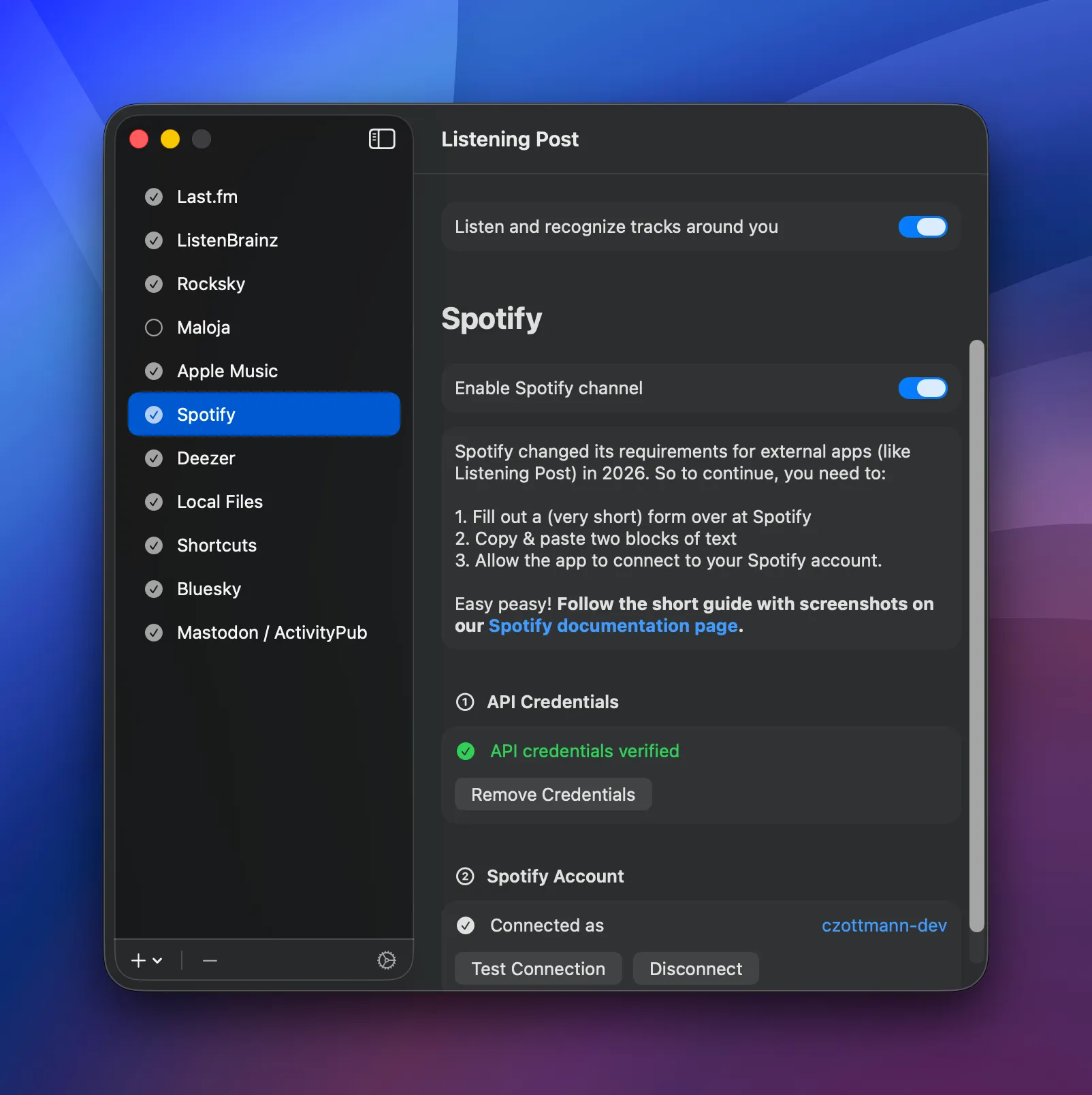
Section titled “Configuration”Find the configuration in the Channels tab → "Spotify".
Setting up your Spotify account for Listening Post
Section titled “Setting up your Spotify account for Listening Post”In order to connect Listening Post to your Spotify account, you'll have to create a "Spotify app" on their developer site. That's a very straightforward process, and takes less than 5 mins, so let me walk you through it.
Step 1: Create a Spotify app
Section titled “Step 1: Create a Spotify app”Go to the Spotify Developers Dashboard. Here, we create the app. Click the big "Create app" button. This will bring up a form:
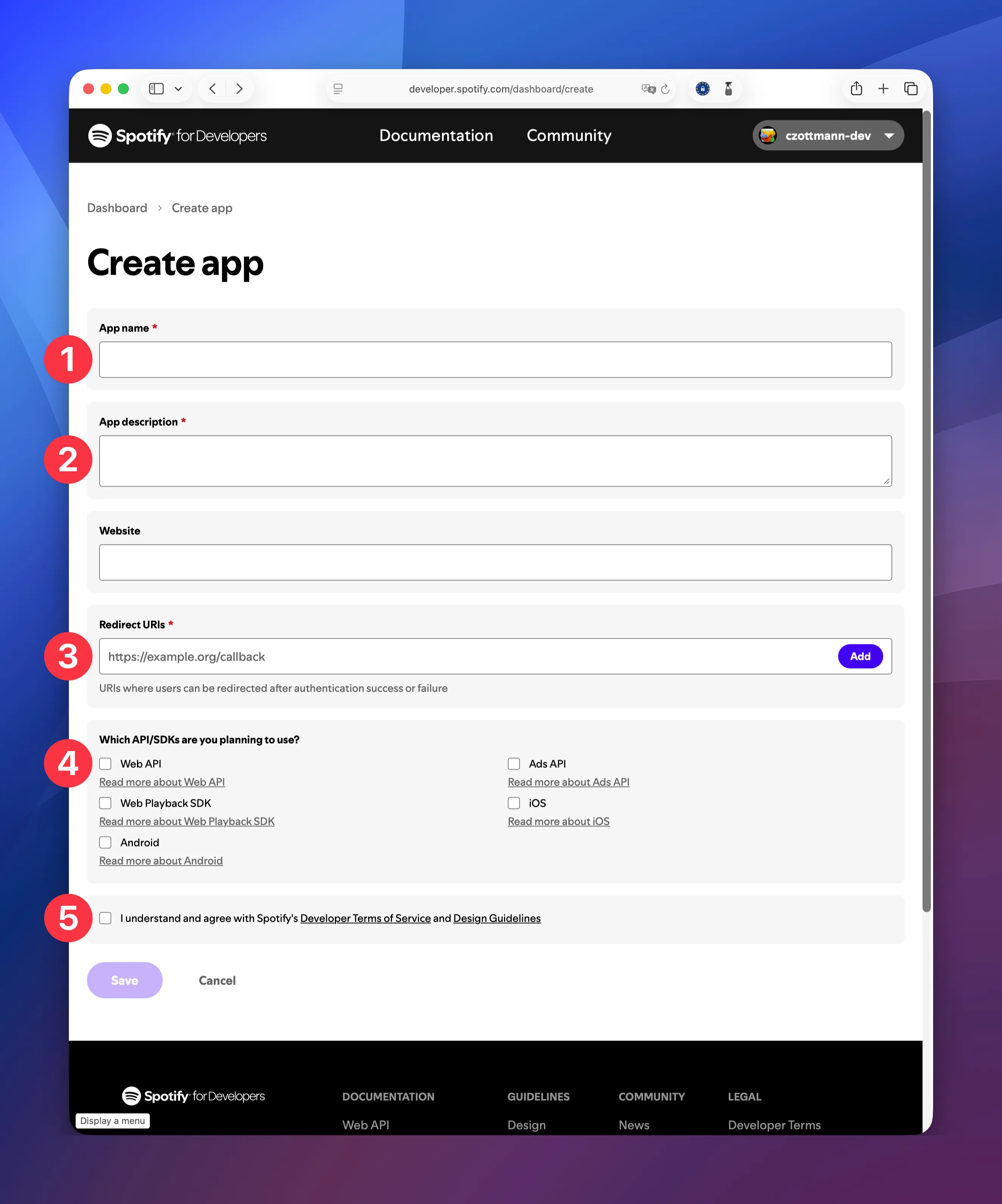
Fill out the form with these infos:
- App name:
Listening Post - App description: A personal reminder what this is for. "Hi" would suffice, actually 😉
- Redirect URIs: two values are needed here.
listening-post://oauth/spotify→ click "Add"listening-post-beta://oauth/spotify→ click "Add"
- Which API are you planning to use: check
Web API - I understand … Terms of Service: check the box
- Click the "Save" button to create the app
Nice! We're almost done.
Step 2: Allowing LP to add tracks to your library
Section titled “Step 2: Allowing LP to add tracks to your library”The page with the form will refresh, and atop the filled out form you'll see "Basic Information" — right next to that is a link "User Management". Click it to see another form:
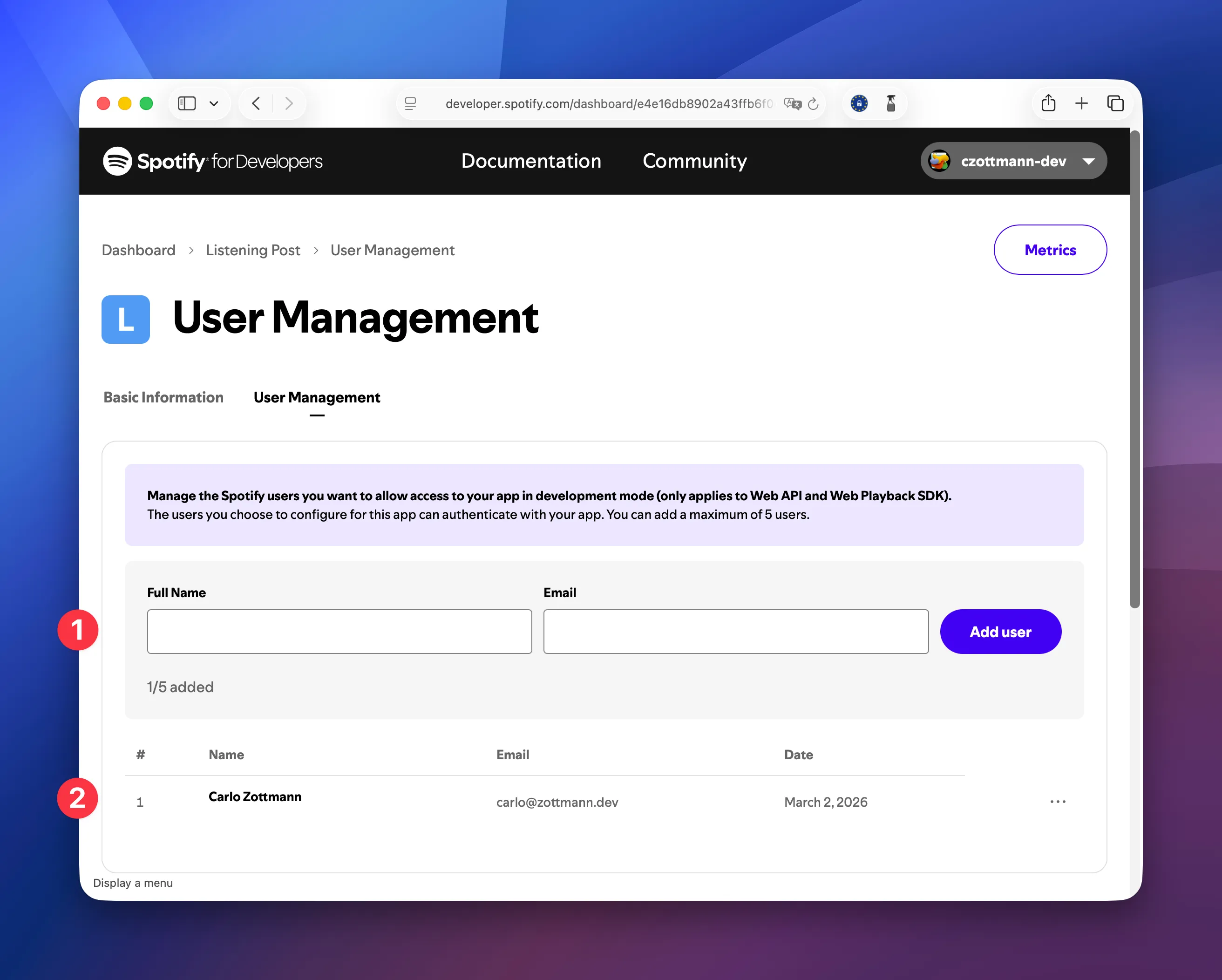
Enter your data:
- Full name: Give it your best shot!
Email: The email address of your Spotify account.
Click "Add User". The page will refresh, and your name and email address will be shown below the form (the marker (2) in the screenshot).
Step 3: Getting your API keys
Section titled “Step 3: Getting your API keys”Go back to the page "Basic Information". Here you'll find your Client ID and Client Secret:
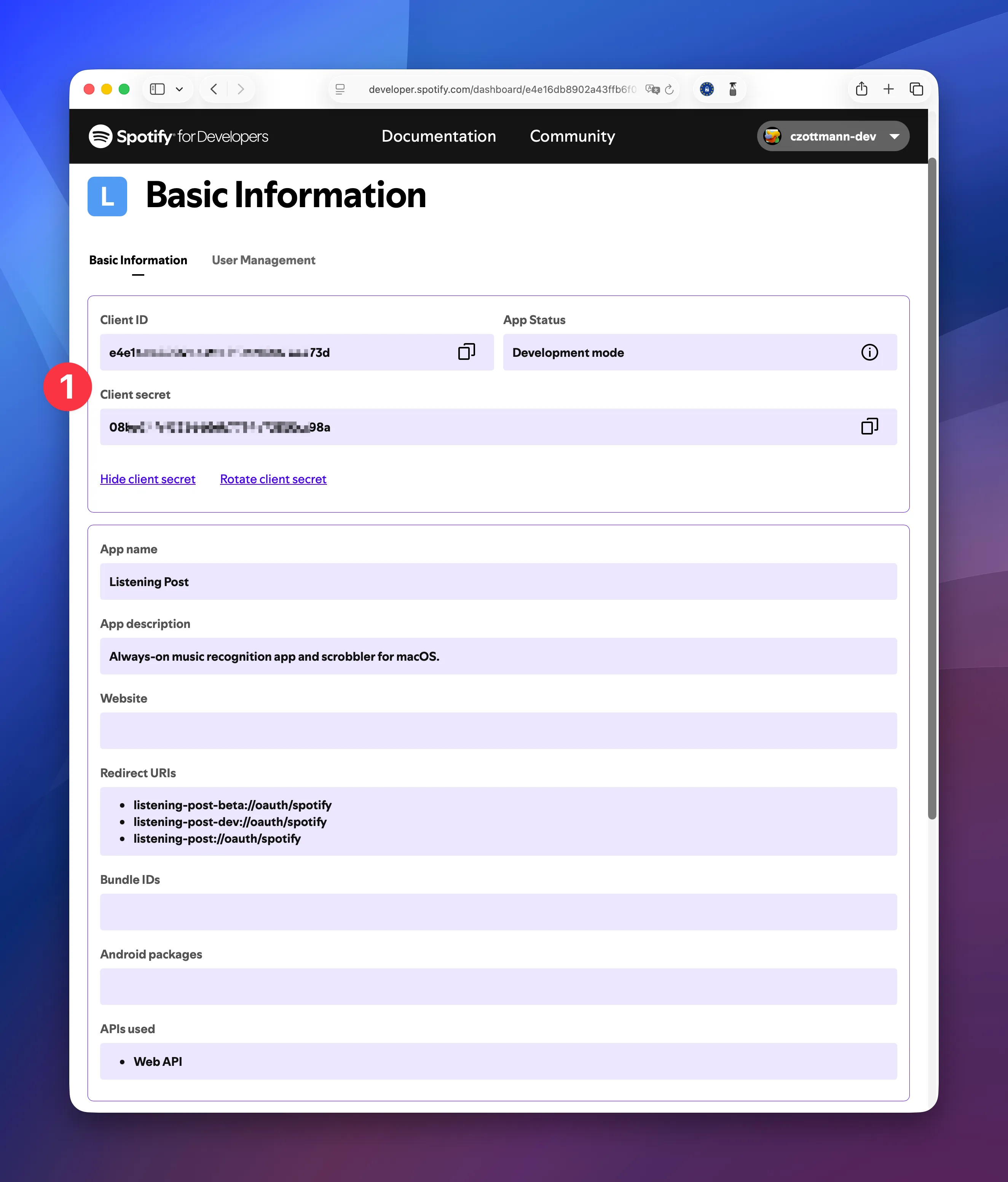
Copy those values and paste them to their related fields in Listening Post:
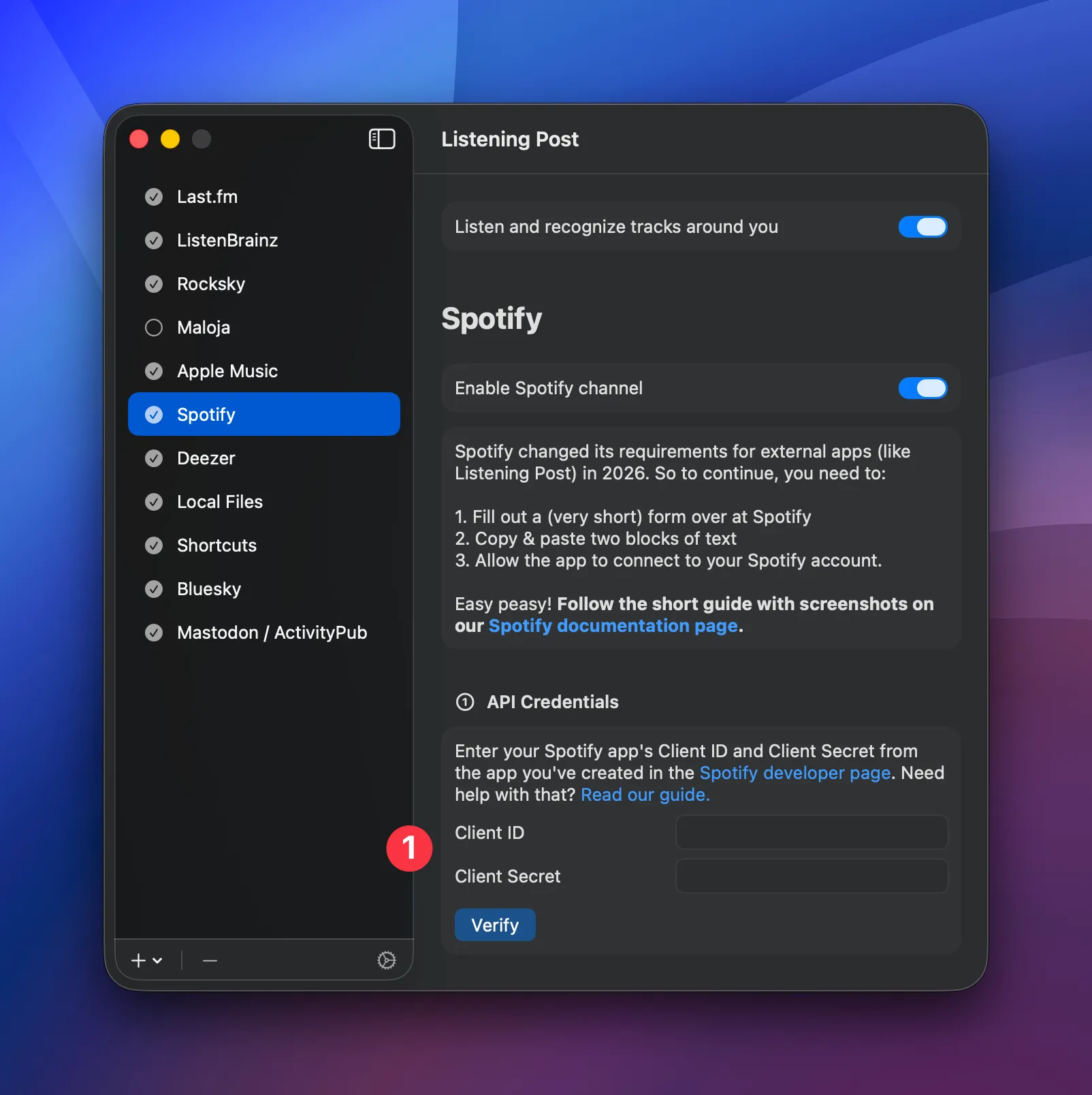
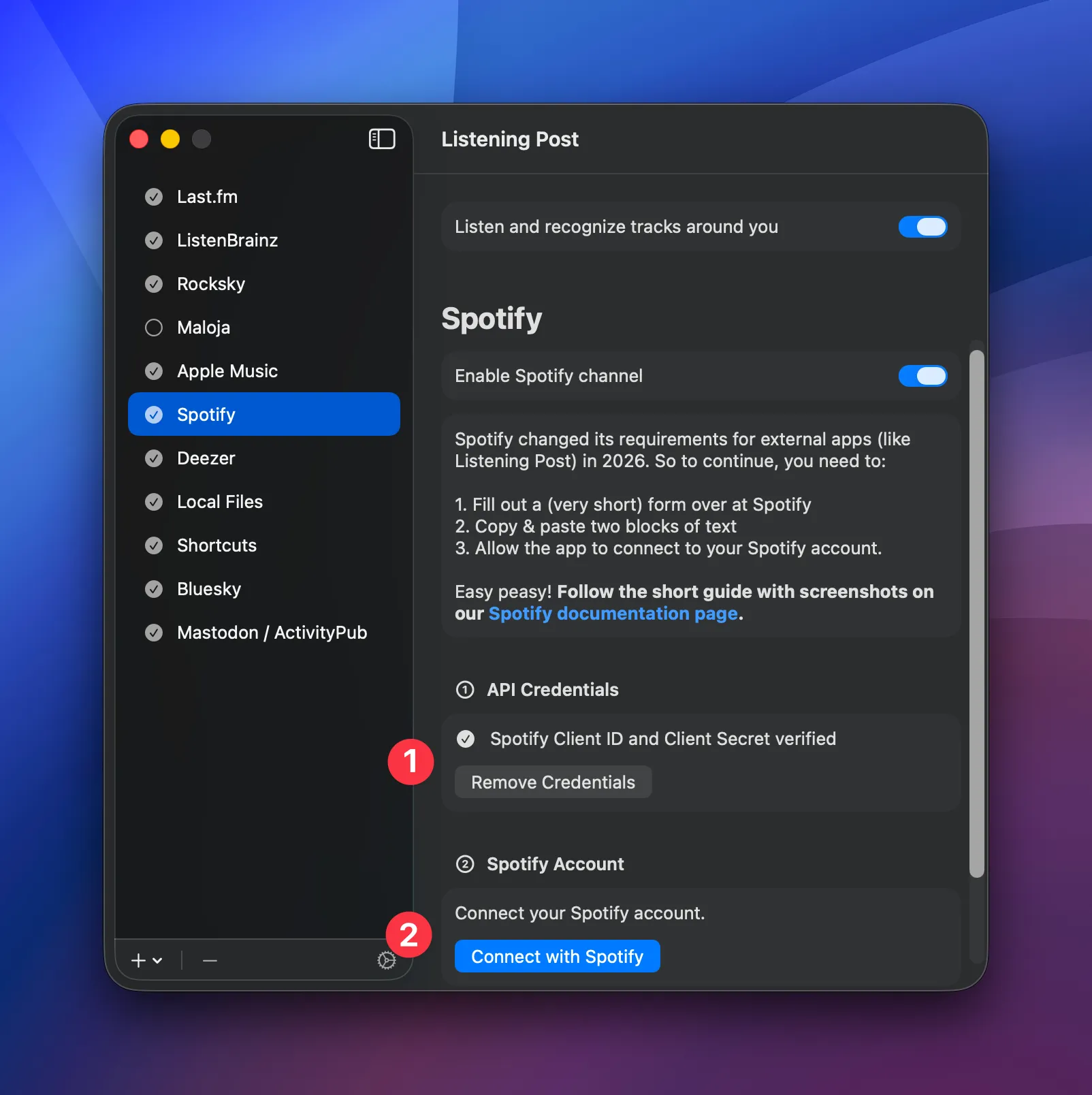
Click the "Verify" button to have LP connect to Spotify. (1) shows you if that worked. If successful, you can proceed to (2) and click the "Connect to Spotify".
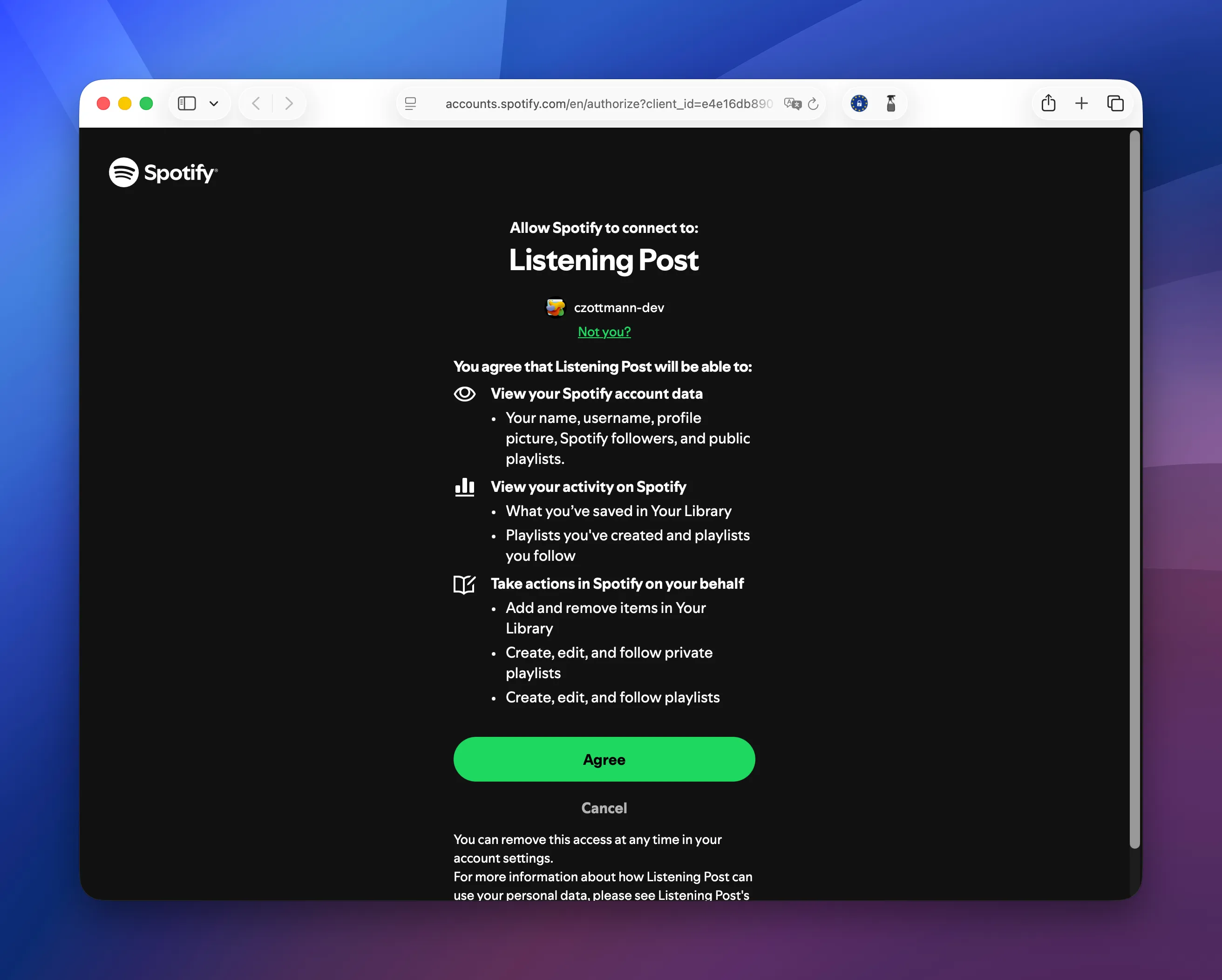
This will open Spotify in your browser, where you need to click the "Agree" button (which will then take you back to Listening Post):
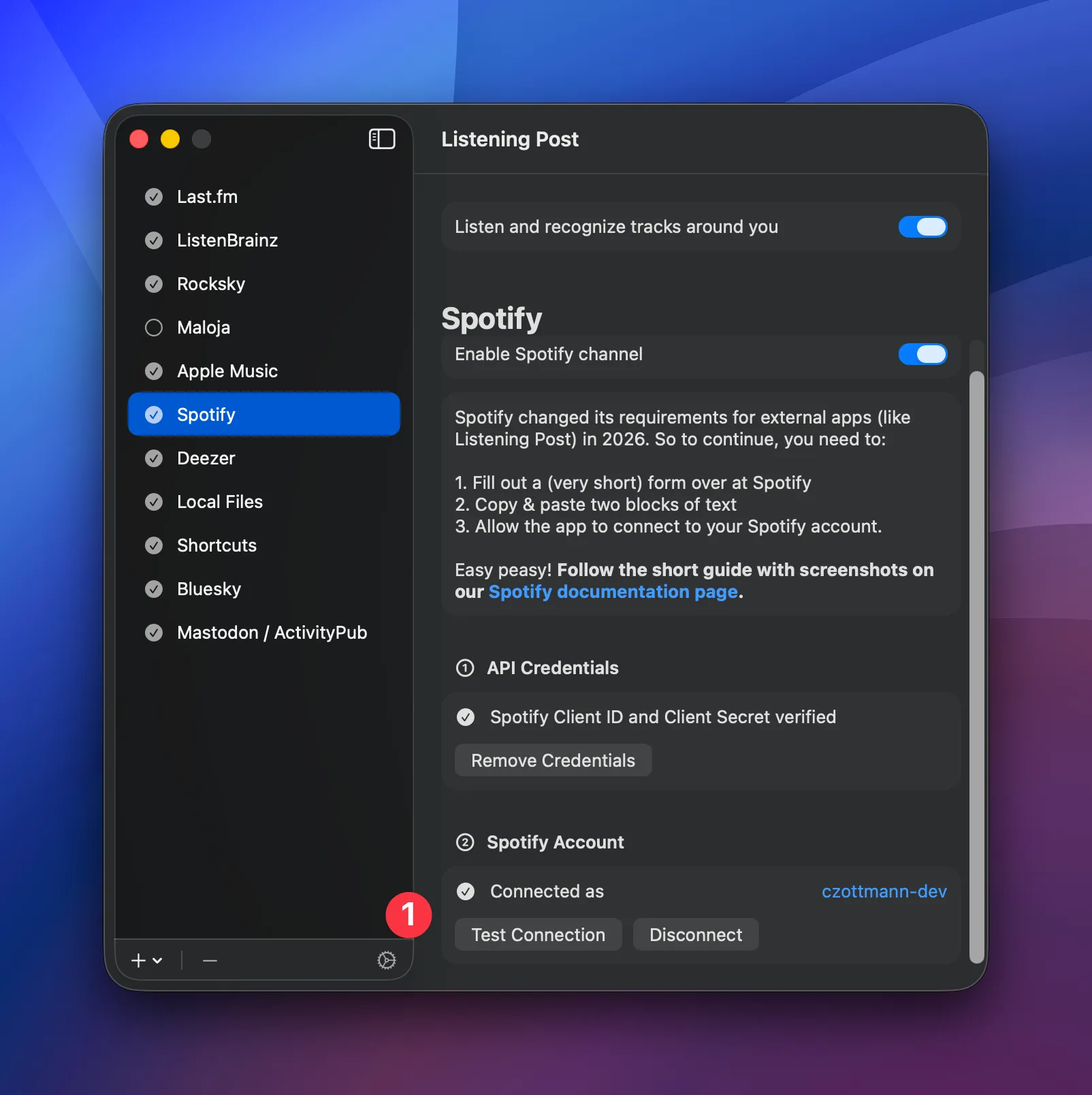
And that's it! (1) Spotify and Listening Post are now best buds. 🎉
Track menu actions
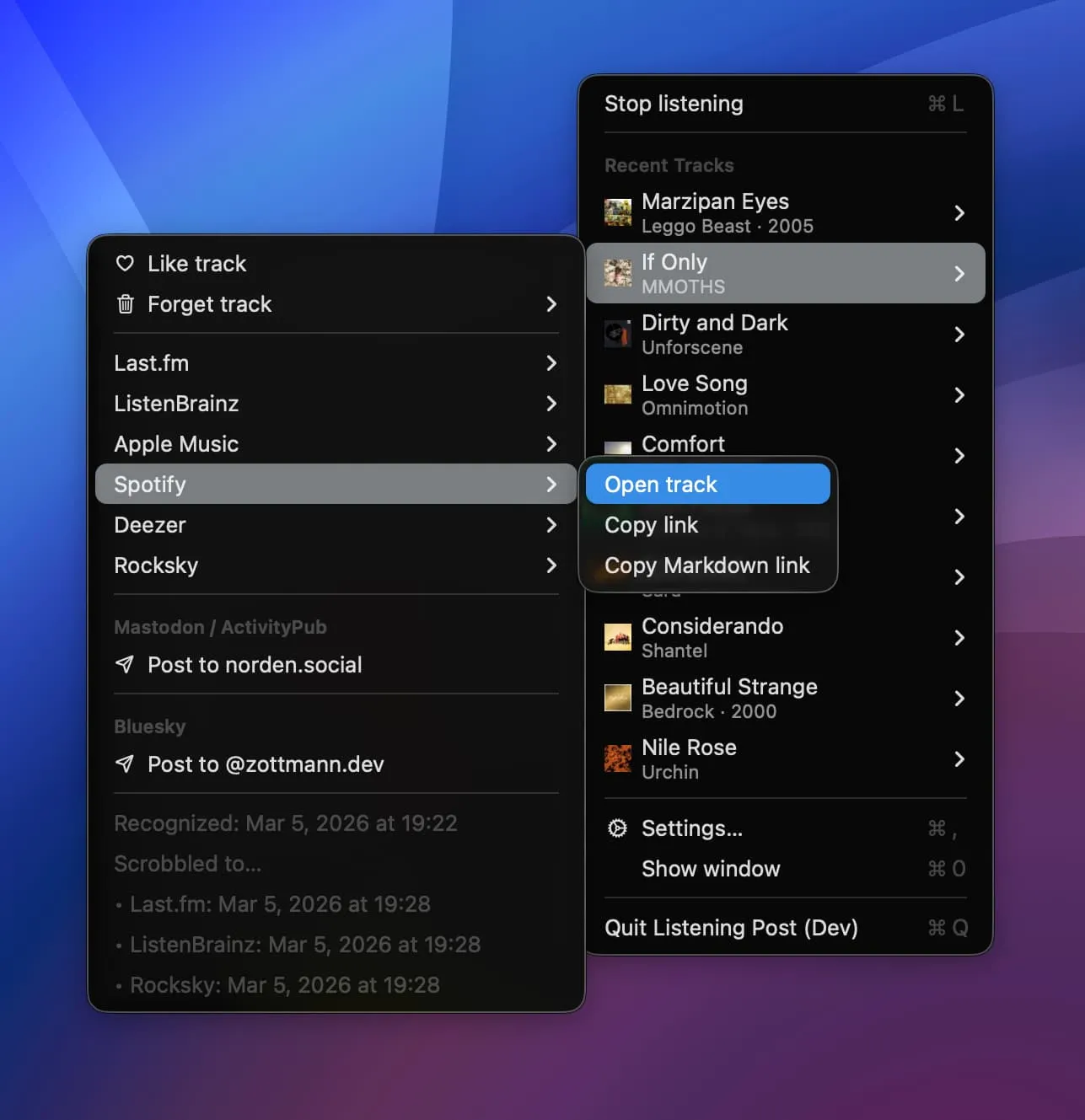
Section titled “Track menu actions”- Spotify → Open track: Opens the track in the browser
- Spotify → Copy link: Copies the URL (plain or Markdown-formatted)
Liking tracks
Section titled “Liking tracks”When you like a track in Listening Post, it's added to your Spotify library. Unliking undoes that.
Please note: There's no sync back from LB. If you manually add a track to your library in Spotify itself, or remove one, LP won't know about it.
Why is it necessary to create a Spotify app?
Section titled “Why is it necessary to create a Spotify app?”Short answer: Spotify's requirements for apps to access its catalog and your personal library are insanely high, and I can't fulfill them.
As a developer, I have to register my app on Spotify's platform so it can interact with their API. (As described above.) During development ("dev mode"), I can allow up to 5 Spotify users to use LP with their Spotify accounts. So far, business as usual. If I want to go "live" with an app like Listening Post, at scale, I'd have to flip from "dev mode" (5 users max.) to "extended quota mode" (unlimited user accounts).
And this is where it gets stupid — namely, Spotify's requirements for that. Quoting Quota modes | Spotify for Developers:
Implementation requirements: […] Maintaining a minimum of active users (at least 250k MAUs)
So, in short: I'd love to offer all the functionality without my customers having to create API keys themselves but until I somehow manage to get 250,000 people to use LP (each month!), that's not even remotely possible. 🤷🏻♂️