

Actions for Obsidian › Actions › Get Vault Reference
Returns a vault reference to a linked Obsidian vault. This reference can be used as input for other actions' Vault.
Parameters
Section titled “Parameters”Vault name
Section titled “Vault name”Type: Text
The vault to work in.
Type: Vault reference
Vault reference type
Section titled “Vault reference type”You can choose a vault either from your linked vaults ("the vault", the default setting), or change the parameter to "the vault named" to enter a string. (This is useful if you use an app like Data Jar to store variables like the name of your default vault.)
If you use the latter, don't forget to link Actions For Obsidian to that vault beforehand.
Options:
- the vault
- the vault named
Return Value
Section titled “Return Value”Example
Section titled “Example”Use this action to get a result variable that you can use as argument for the Vault parameter in other actions:
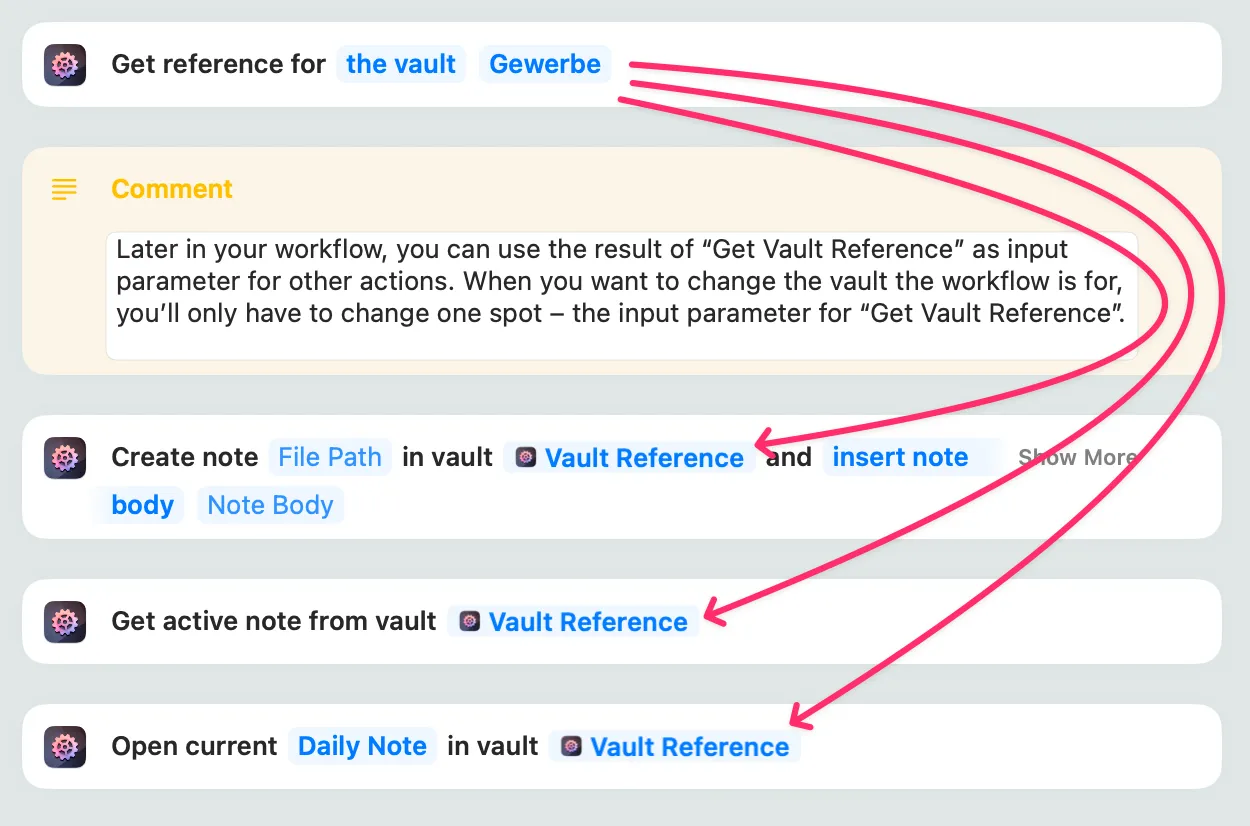
Now, when you want to change the vault the workflow is for, you’ll only have to change one spot – the input parameter for “Get Vault Reference”.
Related Links
Section titled “Related Links”- Search the Actions for Obsidian community forum for "Get Vault Reference"